

Starting now, successfully register contactless parking service on the TAIKOO+ APP, upload your spending receipts to redeem free parking instantly upon receipts’ approval, without waiting in line!
How to Register and Activate Contactless Parking?
Venture into the hassle-free driving experience at Cityplaza. Enter and exit the car park with contactless parking and automatic fee settlement.
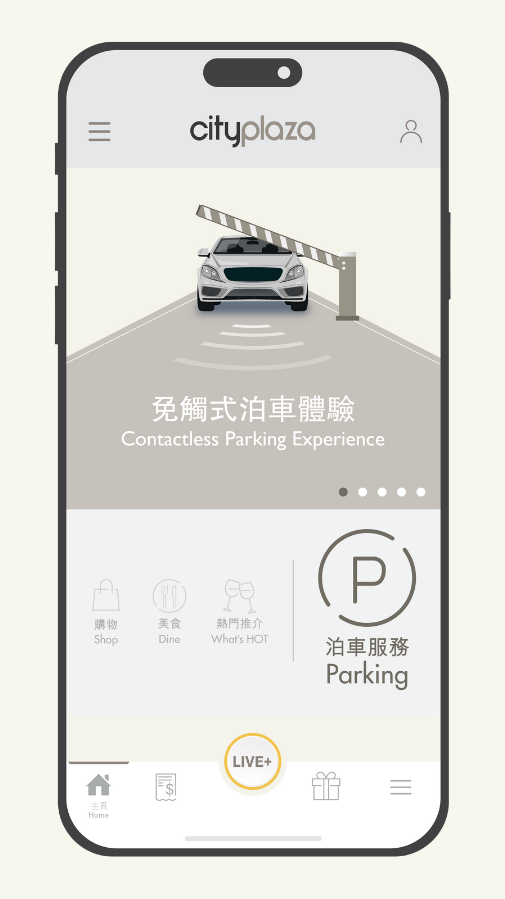
Step 1: Visit TAIKOO+ Mobile App and select "Parking”.
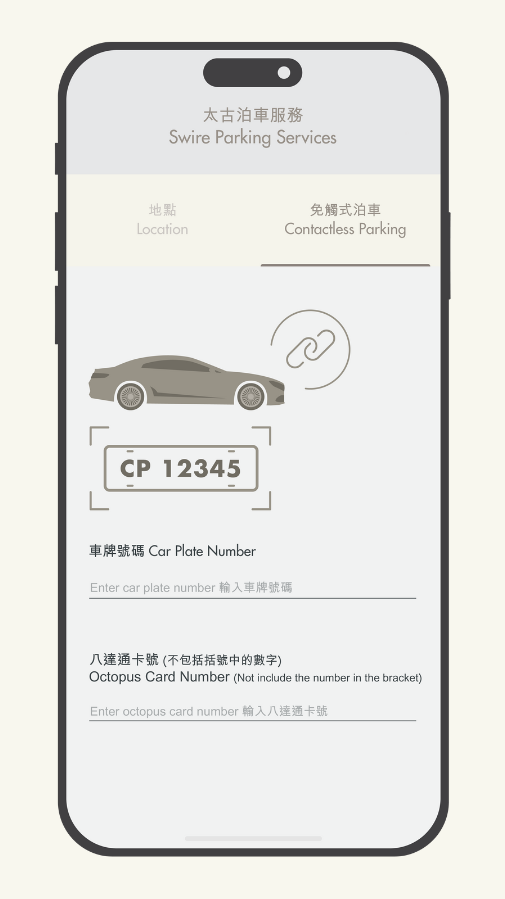
Step 2: Input your car plate and Octopus card number under the “Contactless Parking” tab.
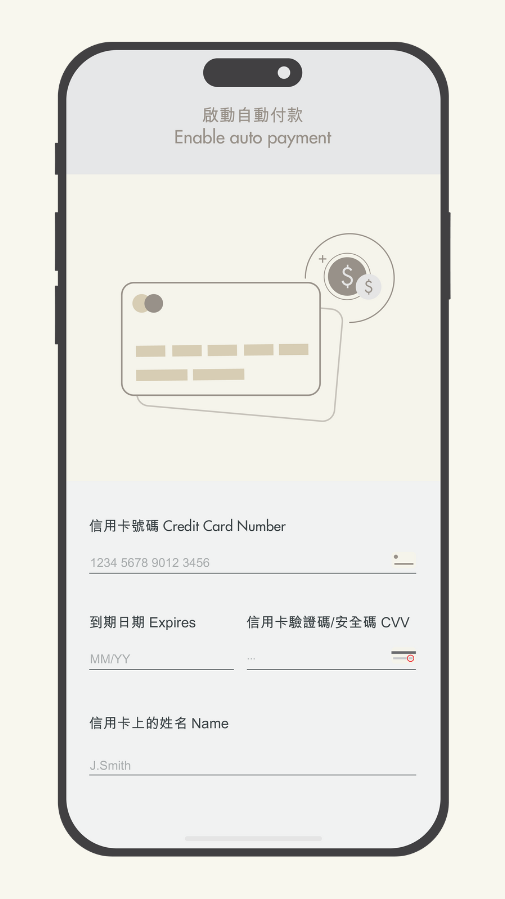
Step 3: Add your credit card details to auto-pay your parking fee.
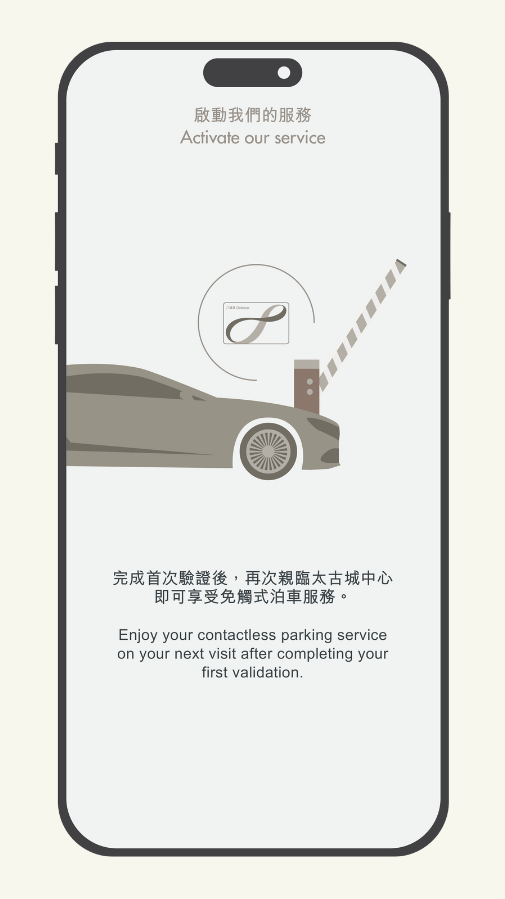
Step 4: Use the registered Octopus card to enter and exit on the first-time entry to activate the service.
 |
 |
 |
 |
Contactless parking service is subject to Terms and Conditions. Please click here for details.
How to Upload Spending Receipts to Redeem Free Parking Instantly?
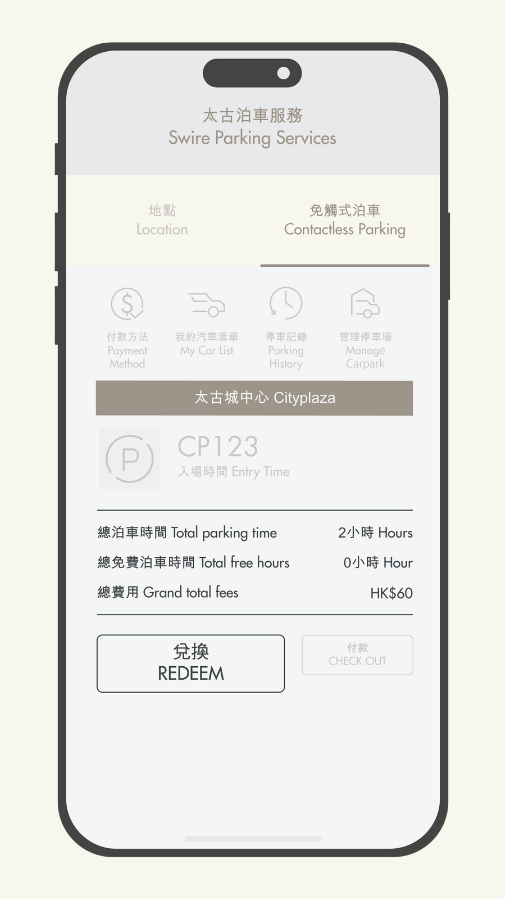
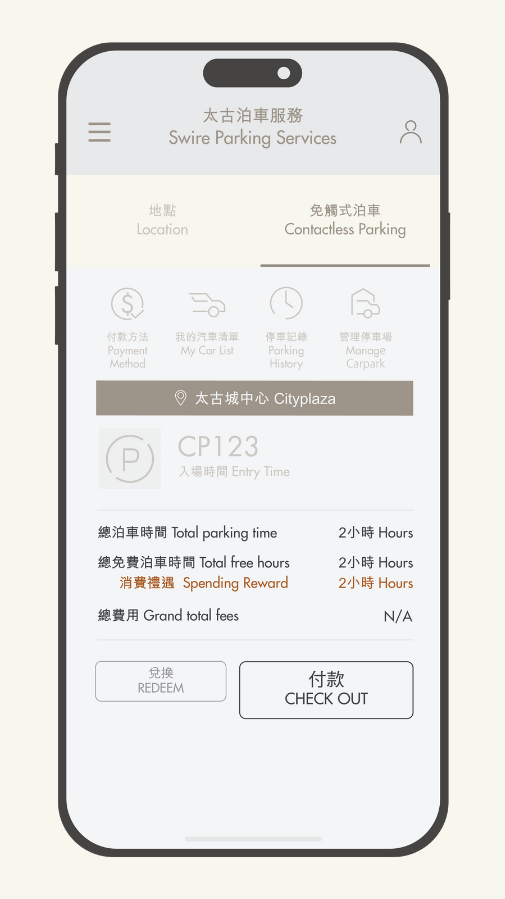
LIVE+ Members can upload their spending receipts to redeem free parking instantly upon receipts’ approval after entering Cityplaza Car Park. Select “Contactless Parking” under “Parking” Page via TAIKOO+ Mobile App and follow the steps below:
Step 1: Tap "REDEEM".
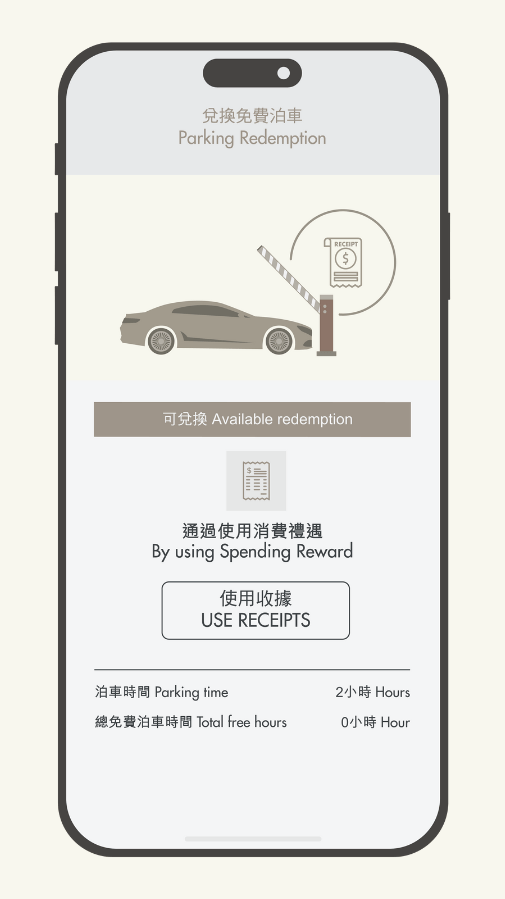
Step 2: Select “USE RECEIPTS”.
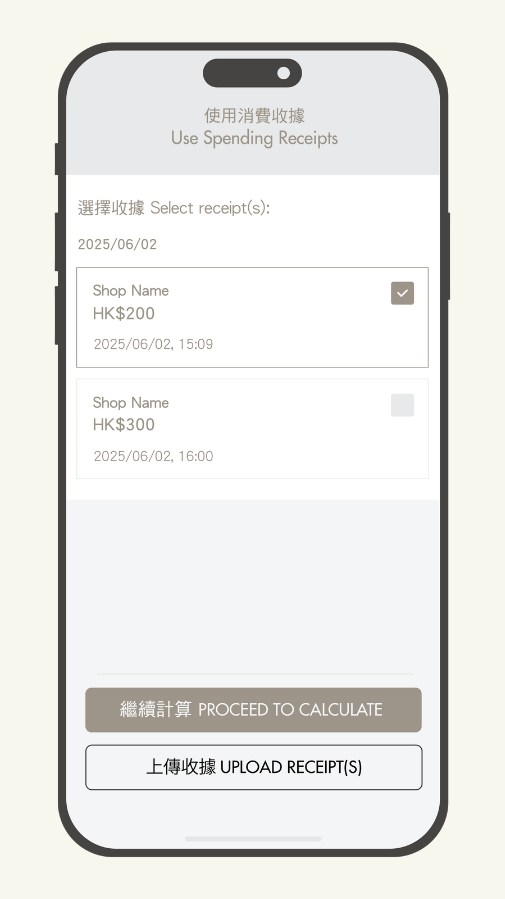
Step 3: Use the approved receipt(s) or select “UPLOAD RECEIPT(S)” to upload same-day spending receipt(s), then tap “PROCEED TO CALCULATE” upon receipts’ approval.
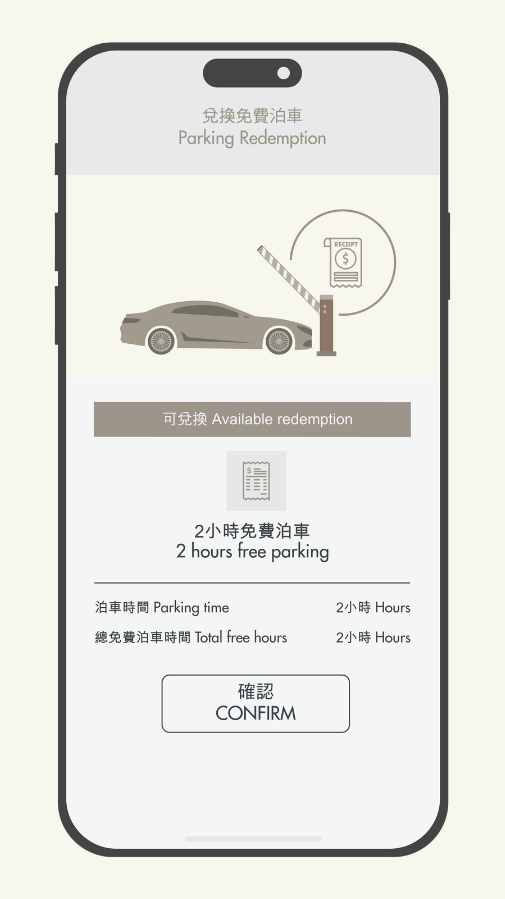
Step 4: Double check the free parking hours and tap “CONFIRM”.
Step 5: After redeem successfully, Select “CHECK OUT” and complete the payment.
 |
 |
 |
 |
 |
Terms & Conditions apply, please click here for details.
You may also like